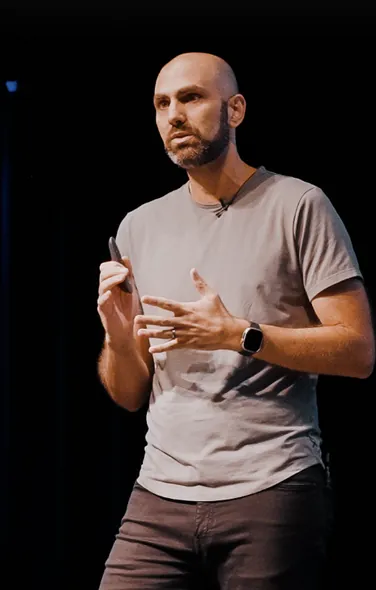
RNR 376 - RLRN: Giggable with Andy Perlitch
Robin chats with Andy Perlitch of Netflix about Giggable, his React Native app for bands. They dig into sharing code with a web app, WebView authentication, testing on real devices, and practical AI workflows, including Cursor debugging and custom ESLint rules that help keep generated code in check.
Show Notes
- Giggable App
- The Testing Trophy and Testing Classifications by Kent C. Dodds
- Backmarket
Connect With Us!
- Robin Heinze: @robinheinze
- Andy Perlitch: @andyperlitch on GitHub
- React Native Radio: @ReactNativeRdio
This episode is brought to you by Infinite Red!
Infinite Red is a premier mobile app consultancy, especially focused on Expo and React Native, located fully remote in the US. We’re a team of 30 with highly experienced mobile app developers and have been doing this for over a decade. We are also one of the first development teams to adopt agentic coding in a way that keeps high quality standards and aren’t afraid to do things the old school way if we need to. If you’re looking for mobile app or React Native or Expo expertise for your next project, hit us up at infinite.red/radio.
Jed Bartausky:
Welcome back to another episode of the React Native Radio Podcast. Episode 376, Real Life React Native, Giggable with Andy Perlitch. Brought to you by Infinite Red, building your software anywhere it needs to be. Infinite Red is known worldwide as the US-based software agency when you want the highest quality software and a top-notch team. Our highly skilled software developers, averaging 15 years of experience, have built hundreds of apps across mobile, web, desktop, and beyond. We've built apps and technologies such as React Native, Expo, Swift, and Kotlin, and now are leading the way in agentic coding. Who knows? Maybe you'll get lucky enough to work with Robin or Mazen. Let's talk about your project by visiting us at infinite.red. Now back to the episode.
Robin Heinze:
Welcome back to React Native Radio. I'm Robin Heinze, and this is another installment of Real Life React Native, the series where we interview developers who work on real life React Native apps. They're quick, they're rapid fire, and they're a great way to see how others are using React Native in real life. So let's get started. I'm sitting here with Andy Perlitch, who is a veteran web engineer working at Netflix, who recently learned React Native for his side project called Giggable. Welcome to the show, Andy. Can you introduce yourself really quick?
Andy Perlitch:
Yeah, thanks, Robin. Yeah, my name is Andy. I've been doing basically web development for going on 18 years or so.
Robin Heinze:
Wow.
Andy Perlitch:
Yeah, started in 2008 learning jQuery and PHP and all that good stuff. Been to a couple startups after that and then a couple of bigger companies. And yeah, right now I'm at Netflix. I've been here about six years and that's my professional history in a nutshell.
Robin Heinze:
Yeah. Awesome. Well, I can't wait to talk to you about Giggable, so we might as well start now. All right. What's the elevator pitch for the app? What does
Andy Perlitch:
It do? So basically the elevator pitch, the one-liner is that it's band management. And the three Cs I've sort of landed on for marketing this is charts, comms, and calendar. So yeah, basically bands have to figure out a way to share charts and that's sheet music or lead sheets. A lot of communication happens, a bunch of group texts and WhatsApp channels, stuff like that. And then obviously calendar for scheduling gigs, rehearsals, that kind of thing. So yeah, I kind of started building some things for my own personal band and then eventually decided that maybe this would make sense to build for other bands to possibly use.
Robin Heinze:
That's really cool. What do you play?
Andy Perlitch:
So I play saxophone and I also sing in the band. So those are my two things.
Robin Heinze:
Anywhere that people can actually go see you play?
Andy Perlitch:
Well, if you're in the Santa Cruz area, we mostly play local gigs. We're a super casual band. We're actually called the Casual Funk. That's how casual of a band we are.
Robin Heinze:
Well, if you have a website or a link to gigs, I'll put them in the show notes for
Andy Perlitch:
People. Okay, awesome. Yeah.
Robin Heinze:
All right. When did you start using React Native and why?
Andy Perlitch:
Yeah, so for this thing, I initially built just a website because like I said, I started just building it for my own band. Then one of my musicians that plays with me was like, "Hey, you should maybe build this into something real for other bands." And so yeah, so I started as just the web and initially I was just thinking, okay, it'll just start as a web app. And then one of the things that the app does is it basically allows you to have everyone on a tablet, like in a rehearsal situation. Everyone's on a tablet and let's say you're learning new tunes or you're practicing an existing tune that you've played before, whatever. The thing that I built was if I, the band leader change to a different tune, it uses WebSockets to automatically update the other screens on the tablets. And as a new band and not playing that often, we also ended up using tablets in live settings.
And one thing that I found was getting to each tablet and then getting to the right webpage and then getting everyone logged in as the right user was really cumbersome. So that was one reason because just setting it up was just a pain as a web app. And then the other thing, as I was building more and I was trying to think about, okay, who would actually pay any money for this and what are the killer features that I'm missing? And I realized that cross-platform chat was something that I personally really wanted because most of us were on iOS, but my female singer, she's on Android. And then the trumpet player in the band, he's on iOS, but he lives way out in the boonies and usually only has Wi-Fi, doesn't have cell service. And so he wouldn't get some messages and then new group chats get created.
When you have a mix of iOS, Android users and group chats, God, it's a nightmare. And so I wanted to fix that. And I mean, I think other bands use apps like WhatsApp to solve that problem, but I suggested that early on for my band and everyone's just like, eh, I don't want to get a new app, a new chat app, WhatsApp, what is that?
Robin Heinze:
This is totally an American thing.
Andy Perlitch:
I know. It really is.
Robin Heinze:
To not have WhatsApp.
Andy Perlitch:
I know, I know. So basically it was that. It was the tablets, getting them all set up, being cumbersome, and then realizing that, okay, if I want to have cross-platform chat, I need to have an app so that I can push notifications and all that stuff. And so that's when I decided to jump into React Native work. And so that's kind of the journey there.
Robin Heinze:
Nice. What is your architecture stack and how did you choose it?
Andy Perlitch:
Yeah, so let's see. So project wide, I use pnpm for dependency management, monorepo, and using the catalog feature for shared dependencies. I use Sentry for error reporting. I kind of just installed that, so I'm still getting my bearings around that. I used Sentry at a company several years ago and never really got deep into usage of it or instrumentation of it, so I'm getting used to that and learning some cool stuff. Amplitude for analytics, ESLint and Prettier, GitHub for my code and CI/CD. Let's see. Did you want to know about API stack as well, the other stacks or just the React Native
Robin Heinze:
Thing? Sure. Yeah. Whatever you think is cool.
Andy Perlitch:
Yeah. So for my API, Node, TypeScript, Express for Passport and a few webhooks and debug endpoints. The main way to get data for the app itself, I have GraphQL, so I'm using Apollo Server. Prisma, I'm using for my database modeling and migrations, all that. Redis for some caching. I'm using the DataLoader library for solving the N+1 GraphQL problem. Like I said, Passport, I'm using S3 for storage and pre-signed upload URLs for people adding images and audio files, video files. And then let's see, a couple, I got OpenAI, Anthropic for a couple of integrations where I use AI in targeted areas, Cursor Cloud Agents. I got Stripe for subscriptions. I got React Email and Resend for sending out emails.
Robin Heinze:
Oh, nice.
Andy Perlitch:
And then obviously Expo Server SDK for sending push. And then finally Railway, I'm using for deployment for my API.
Robin Heinze:
Oh, nice.
Andy Perlitch:
Yeah.
Robin Heinze:
We had them as a sponsor at Chain React. Oh nice. That's
Andy Perlitch:
Awesome. The
Robin Heinze:
Last time we
Andy Perlitch:
Did it. Yeah, I've really been happy with using them. So on the web, React TypeScript, Apollo Client, shadcn, Tailwind, React Internationalization or Intl, React Context and Apollo Client Cache for most of my client side state. And then Zustand for some targeted super stateful UI areas. And then finally Netlify for my front end deployment.
Robin Heinze:
Nice. But did you say you're using Expo? You said you're using Expo for something. Are you using Expo in the React Native app?
Andy Perlitch:
Yeah. Well, yeah. So I said Expo as part of the API stack because you have to use Expo Server SDK to send those push notifications. So technically that's in the API, but yeah. And then on mobile, I'm using Expo. React Native Reusables, I'm using Expo Router, LegendList for the chat stuff, and then EAS for deployment.
Robin Heinze:
Nice. Solid stack. Can you describe maybe some unique challenges you encountered while developing your app using React Native? Obstacles, stuff that was more tricky?
Andy Perlitch:
Yeah. So let's see. The first thing I realized is that a lot of the code that was on my web project was I would need the same code on the mobile project. So one of the first tasks I remember doing was splitting out all the stuff in my web package that was also going to be used in the React Native package into a shared front end package that then gets imported by both. And that was tough. I mean, with AI, it certainly helped, but basically removing all the GraphQL queries that I had in a bunch of contexts and then some providers for those contexts. I'm talking React context and then having to decide, okay, will this provider implementation, so to speak, work for both stacks or do I have to have a separate provider for React Native versus Web? So basically, yeah, that was kind of a challenge initially.
Another one that was definitely tough was deciding between re-implementing everything in Native versus using WebViews for some parts of the app.
I initially started down just the re-implement everything path. I think part of that was because I wanted to learn a lot of React Native. The other part was I kind of knew that the auth handoff between Native and WebView was going to be a challenge. And so I was thinking, okay, I'll just try and just re-implement. And I was like, I don't have that many screens. Turns out I did have a lot of screens. After going for a while, I realized, oh man, this is dumb. This is essentially pushing out any possible release by months, even with AI. And actually, funny story, when I first decided I wanted to use React Native, this is in January, for the one and only time, I don't know if you know on Cursor, it's got that use multiple models like max mode. And so I wrote this huge prompt that was basically make my React Native app looking at my web app because my web app was fully implemented and it was already -
Robin Heinze:
Yes. You're like, I have all this. I just want to... Yeah. I just want to use it.
Andy Perlitch:
Exactly. And it's all responsive too. So I kind of thought, well, maybe the AI is good enough these days. I think Opus 4.5 had just come out. Maybe you can just one shot it for me.
Robin Heinze:
Yeah, that was around the time everyone's like, whoa, these models can actually do some stuff.
Andy Perlitch:
Yeah, exactly. And so I had this huge prompt. I did Max mode. I sent it to Opus 4.5. I sent it to ChatGPT. I sent it to all the models and they all came back and they were all just like, didn't work. They were all trash. It was basically all throwaway code. So I was like, okay, well that's not going to work. So basically I had this realization, okay, maybe I do need to just look into the difficulty of using WebViews for most of it. That did work and I was able to get that working, but that has been the bridge between the native and the WebViews and getting that auth handshake and handoff just right is absolutely the hardest thing about the app right now. I'm still finding bugs, like a refresh token expired and then something else went wrong and now...
So that has definitely been one of the biggest challenges for me. Yeah.
Robin Heinze:
We have a fortune whatever big enterprise person, client that may or may not have done some little bit hacky stuff just because the problem of getting the auth handoff and WebViews to work seamlessly is so hard. So at one point I'm pretty sure we were passing a token as a query param in a URL. Oh my goodness. Because it just needed to work. Yeah. So yeah, it's a really hard problem for
Andy Perlitch:
Sure. It's so hard. And it's not even just the auth handoff, right? It's like I wanted it to be seamless in terms of, let's say they're in a WebView and they click a link that should actually go to a native view or there's a native view implementation of that, whatever that link was going to. What I had to do is set up a thing. Okay, the web now has to be aware whether it's in a WebView or not. And then I would have to conditionally render anchors or render capital L links, either a capital L link or an anchor tag. So if it's embedded, I have to do anchor tag because then the native app can intercept that event and then route to the native screen or whatever it is. So yeah, it's not just the auth handoff, it's a lot to get that to work.
But I'm ultimately still happy that I went down that path because like I said, there are way more screens than I initially thought that I had. And it's basically allowed me to have a working app that essentially has all the functionality I need it to have sooner. So yeah.
Robin Heinze:
Yeah, it's a pretty common strategy and that's a pretty common headache that folks run into trying to do that strategy. So makes a lot of sense. Can you share some ways that you've optimized performance for your app or measured performance or dealt with lagginess or slowness or things like that?
Andy Perlitch:
Yeah. So to be honest, I haven't really experienced any performance issues that were great enough for me to actually dig in and see. I am curious to see with the chat part of my app, obviously I'm using LegendList and I'm hoping that that can solve a lot of the performance issues out of the box for me, but I am wondering what happens when some of these chats get really, really long, if there might be some issues there. But other than that, I mean the native views obviously are way faster than the WebViews, just feel nicer, load faster and all that. I would say that one place where I did start to look at performance and I'm still looking at performance is actually back on that auth handoff to WebView. I noticed that my auth handoff was taking super long, like two, three seconds just to...
And so I'm currently looking into optimizing that. And even one idea I have that I'm sort of playing around with and having AI do some exploratory work on is having just almost like a singleton WebView that just you mount a singleton WebView once and then you essentially switch the URL of that WebView and then bring it to the foreground or whatever when you need to use one. So that way theoretically the auth handoff only needs to happen once, but still experimenting with that. So that's kind of one example where I see a performance issue, I'm working on it, not totally sure where to go with
Robin Heinze:
It. Yeah, it could be a really subjective thing. There's always a trade off. Does it feel bad enough for me to put the effort into fixing it or not yet? It's kind of fuzzy problem.
Andy Perlitch:
Totally.
Robin Heinze:
How are you handling testing? Do you have unit tests, end-to-end tests? What kind of tests?
Andy Perlitch:
Yeah, so I have a lot of tests, a lot of API integration tests, fewer unit tests. I'm kind of a fan of the testing trophy concept. I don't know if you've read that Kent C. Dodds article. Yeah. So Kent C. Dodds, he wrote this article a while back and it was based on a tweet and the tweet was like write tests, not too many, mostly integration.
Robin Heinze:
Okay. Yeah. I do have heard the three-part phrase, write test, not too many, mostly integration.
Andy Perlitch:
And basically the idea is your base of the trophy is static analysis. That's a big part of it. And then a medium-sized part is unit test and then a big part is integration and then a small part on top is end-to-end. It's kind of reframing the testing triangle or testing pyramid. I think it makes more sense, especially for UI applications. On my mobile app, I use Jest for unit tests and quote integration tests where it's rendering a component, but it's...
Robin Heinze:
Yeah. There's not an agreed upon name for it. Component testing is pretty common. Render test. Yeah. There are a bunch of things called.
Andy Perlitch:
In my career, I've been to so many exhausting conversations where engineers are arguing over what's an integration test and what's an end-to-end test. Just write
Robin Heinze:
The test. Who cares?
Andy Perlitch:
I can't stand that stuff. I really can't. Anyway, and then I just recently set up Maestro tests to run, at least they're running locally, and I have some disabled GitHub Actions that will run... I'm not exactly sure how it's going to work and I'm still learning Expo and EAS, but the way I understand it is it's going to run those Maestro tests on its environment after every merge maybe to main that changes mobile code. But yeah, still kind of playing around with that. Yeah.
Robin Heinze:
Awesome. So let's talk about native. Have you had to do any custom native modules or native implementations in your app?
Andy Perlitch:
I haven't yet, and I don't necessarily think I'll need to anytime soon. I mean, a couple things I've thought about that might require a native module, for example, if I ever decide to get into any kind of signal processing for sound that gets recorded, I might have to use a native module for that. One of the things that I am looking at that might need native packaging, but I'd be sort of surprised if there wasn't a React Native module for this already, but that kind of background audio or lock screen controls when you're listening to a music app or a podcast app, when you lock your screen, you can still control stuff. Because one of the things that my app does is if a band leader puts together a set list of songs, and each of those songs optionally has a reference track recording, I want a band member to be able to press play on a set list and it'll just start playing it like it's a playlist on Spotify, and they should be able to lock their phone and then be able to control this.
And so I think I did some early research on that and I might need to go to a native module for that, but I'm honestly not totally sure.
Robin Heinze:
There's so much that you can do without doing that. The places where I see people going native, it's really fine-tuning or very specific use cases needed for their specific app, but there's a ton that you can do without even needing to think about going native, so that makes a lot of sense.
Andy Perlitch:
Yeah.
Robin Heinze:
How have you dealt with cross-platform differences, iOS versus Android while using React Native? Anything custom between the different platforms?
Andy Perlitch:
Yeah, fortunately, I haven't run into a whole lot. There was one issue I had a little while ago, and it was kind of interesting. It was in my app, you have your bands page or band screen. That's kind of like the one you land on when you're authenticated. And when you click into a band, it pushes another route onto the stack, and that route essentially is a tab group. So you imagine, I think of almost like an Instagram account, you have your tabs at the bottom and essentially all those tabs are pertaining to that specific band. And on iOS, the way it was working when I built that is if you go into a tab screen and then you swipe from left to right, it would take you back to the band's screen because that's just popping off the stack of the history. But on Android, when I would swipe from left to right in the same screen or on any of the band screens, it would essentially, it would go to the first tab in the tab group of the band tab group, if that makes sense, instead of going all the way back to the band screen.
What I realized or what I found out after looking into it was that on iOS, the UIKit essentially will take a left to right swipe as a back action, so popping off the stack versus an Android that it actually, the tab group itself by default will handle that back swipe. And I think the default behavior is to go to the first tab. So on Android, I would swipe to the right and then it would just go to the furthest left tab in the band tab group. But that was a pretty simple fix. All I had to do was just change the on back configuration of that tab group and then it just went to none, and then I guess the regular back behavior essentially matched iOS after that. So it was a small one, but I'm sure I'm wary and waiting for others to show up.
Robin Heinze:
I would say they're fewer and far between these days. There used to be a lot more of them, and I think there's been more movement towards more universal design language rather than really hardcore, this is what Android looks like, this is what iOS looks like all the time. But the back button is absolutely the most annoying difference between Android and iOS having to handle that.
Andy Perlitch:
Yeah, I'm starting to see that. Yeah.
Robin Heinze:
All right. How are you using AI in your day-to-day workflow, if at all?
Andy Perlitch:
So there are a couple things that I am using AI for that I think are working really well for me. The first one is Cursor debug mode. So I'm not sure if you're familiar with the debug mode.
Robin Heinze:
Yeah, I've used it a couple times.
Andy Perlitch:
Okay. Yeah. So the short story on that is Cursor will create or launch a temporary server on your machine and that server has one endpoint. All that endpoint does is takes a payload of JSON and then writes it to a file. So you tell Cursor, "Hey, I'm having this problem. Can you help me debug it?" And when you're in debug mode, it'll do that. And then it says, "Great, here are my hypotheses. Go ahead and reproduce the problem and then come back to me and tell me when you're done." It works really, really well. And it's also really good even for just verification, not even necessarily if you have a bug. The thing with React Native that is a kind of a snag with debug mode is that whether you're on a real device or even if you're on a simulator, those calls, what they do...
So what Cursor does is it injects calls to its own server from your code. But the problem is the default behavior is it will call to 127.0.0.1. So it'll call to the loopback. And the problem is when I'm debugging on my real device or even on a simulator, it's not on that same machine. And so those calls will simply fail. It'll never get the debug logs. And so I actually decided I like debug so much and I wanted to use it on mobile that I actually in my API server made a development only endpoint and a specific function in my React Native code base, which essentially calls that endpoint to write its debug logs instead of its typical behavior. So that's one. I think that's worth setting up. You can set it up super easily and then you can use Cursor debug mode for React Native.
The other major one, other AI little trick I have that I've really been liking, especially recently, is having AI write custom ESLint rules. Because really what that unlocks is the AI will essentially fix its own issues. So for example, AI uses useEffect way too often, and it's just obnoxious seeing this diff with 10 use effects.
Robin Heinze:
To be fair, I think there's probably some developers that use useEffect way too often.
Andy Perlitch:
That's true. Myself included. I mean, I'm not totally guilt-free here. So what I did was I wrote a custom ESLint rule or had AI write a custom ESLint rule, which requires that for every useEffect, you have to have an explanatory comment right before it that explains why it's a true side effect. And so the idea is that the AI sees that after it makes a change because it lints always and it says, "Oh, I have to provide an explanation. Oh, this isn't a real side effect. Okay, I'll go change the code." Some other examples are like, "Oh, I added NativeWind to React Native, and it's great. You can add className and do Tailwind stuff. But when I was generating code, it kept creating StyleSheets. So I wrote... I think it's called StyleSheets, right? Yeah. And so I wrote an ESLint rule which says basically don't allow StyleSheets unless there's a programmatic reason to use them, like there's some dynamic value in it or something.
Otherwise, prefer className because it was everywhere in my React Native from all the generated code. And so I wrote the ESLint rule and then I just told the agent to fix the lint and it just did it all. And then from here on out, it does it.
Robin Heinze:
I know several of our devs have come to basically the same realization is that if you can ask AI to build you tools and scripts and linting rules, stuff like that, you're basically taking a non-deterministic system and making it deterministic by saying, "Hey, write you a thing, but then you have to run this thing that is now deterministic and fix the results." It's such an AI hack.
Andy Perlitch:
Totally. And yeah, so that whole turning a hero intrinsically non-deterministic thing into a deterministic thing you can use, super useful. I still don't really think I understand the bounds that a lint rule can have because you can get really hyper-specific with it like only make one call on this thing or every file that ends in .resolver.ts should have this kind of export. It should be default. One of the things that I'm planning on doing is some kind of rule which discourages giant TSX files with a million components in it because sometimes AI will write it like that. I think I'm just starting to scratch the surface of it, but even in the last week, I've made four new ESLint rules custom, and it was just one shot at them with AI. It was so easy.
Robin Heinze:
This isn't part of the original question, but are you using any sort of frameworks or external tools like Matt Pocock has a bunch of skills, sort of frameworks for agentic development that other people have created?
Andy Perlitch:
I am kind of in a wait and see with those. I've got coworkers I talk to on a regular basis and some of them are really into trying all the new tools and harnesses and stuff. I don't know. I tried a few of them and I continually try a few. I even tried to set up my own sort of reviewer system, but ultimately I haven't really found that the juices were It doesn't work consistently enough for me to do it all the time. And so yeah, I'm kind of in a wait and see state for that because I feel like we're still very early in the AI agentic era. And I just feel like someone's going to come out with a killer harness and it's just going to blow everything else away. Frankly, it's one of the reasons why since January, I've listened to so many more podcasts on tech than I ever did.
And I kind of feel like one of the reasons is I'm waiting for that moment where people start talking about one thing
Robin Heinze:
That's just like absolute killer. So if everybody starts talking about this one thing, you'll know that's the thing.
Andy Perlitch:
Exactly. Yeah.
Robin Heinze:
Yeah. I think a lot of us are feeling that way.
Andy Perlitch:
So one more thing that I did was with AI, it's so easy to roll your own stuff. So I decided early on that for a feedback system for my app, so for users to be able to provide feedback, I just rolled my own. It's a database table, I've got an admin UI, I've got UI for the user, and it was just too easy to make to not make myself. So I've got this feedback system, you can provide feedback. What I realized is I was doing this thing where I was getting a piece of feedback or getting a new feedback item and then going to my Cursor Cloud web app and saying, "Oh, this issue came in. I want you to fix it." And then I realized like, wait a minute, Cursor Cloud Agents has an API. So now on the admin side, when I look at a piece of feedback that comes in, there's a button there that I just put that says send to Cursor Cloud Agent.
You press that button, it gives you as the admin a text area where you can fill in additional details that might be relevant for the prompt. It creates this whole prompt and then it sends it off to the Cursor Cloud agent. Cursor Cloud Agent does his work, opens a pull request. And so it's sort of like a full feedback loop. And that's just working incredibly for me. My mind is blown at how easy that was to make, first of all, and number two, how effective it is because I was showing my friend the app a couple days ago. He found a bug and while we were on the call, I showed him, okay, I'm sending it to the Cursor Cloud agent. It opened a pull request, I merged the pull request, it auto deployed to the web, and then the bug was gone. So it was just so easy and just really, really seamless.
So that's something I've been really excited about too.
Robin Heinze:
Nice. That's really cool. Has AI fallen short or burned you really bad in any situations?
Andy Perlitch:
Yeah. I mean, we already talked about trying to one shot building the whole React app, and that was just me being naive. Hey,
Robin Heinze:
Everybody, you have to try it. Everyone's feeling like you have to try it and now you know. You cannot.
Andy Perlitch:
Yeah. I would say one thing that was a little bit of a disappointment for me was using the MCP server for mobile. When I first heard about the MCP server, being able to take a screenshot of a simulator and then have the AI use that, I was really excited. But ultimately I realized it eats a lot of tokens, it's not super accurate, it needs a lot of babysitting and it takes a lot of time. So I have stopped using that. That's one area. But honestly, I've found that the more guardrails I can put on my code, types, lint rules, testing, code coverage, the more I can put on that, the less the AI ever comes up with something that's egregiously wrong. And usually if it is egregiously wrong, it's a bad prompt or something. And I feel like that's where this is going for small developers, small developer teams, is it's just getting a lot easier to build in the guardrails and the CI that normally you think of as really big company setups.
Custom ESLint rule. Before AI, I would've never taken the four weeks it would've taken to learn how to write an ESLint rule by myself. That
Was just
Robin Heinze:
Not - When you were talking about that, I was like, this is the kind of stuff no developer is going to know how to do or want to spend time figuring out how to do unless that's their entire career is writing ESLint.
Andy Perlitch:
Absolutely. And I think that's a realization that I'm starting to have and I think is just the more and more I think about it, the more I'm like, okay, AI allows me to have an app set up and a developer setup that is worthy of a large company because it's so fast to set up all the things. So yeah, I really haven't... The more I harden my guardrails, the fewer times I see an AI pull request that is just really wrong or has some obvious thing that is just the wrong direction.
Robin Heinze:
We're getting almost to the end of the list of questions here, but what advice would you give to new React Native developers as someone who picked up React Native pretty recently?
Andy Perlitch:
I guess the first piece of advice would be encouragement. It's doable, you can do it. I think that for a long time as a web engineer, I would hear about React Native and be like, oh, that's cool. I know React, I can maybe do that. But there was a certain amount of uncertainty and I guess fear around trying something new. It's kind of like getting into Electron. Again, it's like the same stack as I've been using, but it's a new form factor and there's some level of learning there. But I mean, especially with AI, it's just a great time to jump in and it's going to be all familiar. So first is just do it. It's fun. It's definitely doable. And then I guess another piece of advice I would say is get an Android phone. I think I started with just doing the Android simulator and -
Robin Heinze:
No, you need
Andy Perlitch:
It. Yeah. So I went on Craigslist. I got a brand new Android for 80 bucks from someone who just got it with a bundle and never used it. It was easy. It was totally worth it. So I've been using that and that's been... I like my little Android now.
Robin Heinze:
We always recommend, there's a site called Back Market.
Andy Perlitch:
Oh, gotcha.
Robin Heinze:
Which has refurbished tech, not just phone, tons of different kinds of tech. You could go get a CD player or something, but they have really good prices for refurbished Android phones. And honestly, whenever I go for my testing devices, I tend to go three or four model years behind because if it works on an older phone, it's pretty likely to work on a newer phone. So it sort of forces you to develop for the slower devices. And they're cheaper because they're older. No,
Andy Perlitch:
That makes a lot of sense. Yeah. Yeah, actually that's sort of analogous to... So at Netflix, I work on the TV app and we have a simulator and you can choose which runtime environment. It's actually a lot like React Native the way we have it set up because there's over the air updates, but then you have your native code that doesn't change that often. And so when I'm doing my development, I typically develop against an older version of that native part of that code. So yeah, it makes a lot of sense.
Robin Heinze:
All right. Last question. Would you still choose React Native if you could go back with the knowledge you have today?
Andy Perlitch:
Absolutely. I mean, I think honestly, I don't know why anyone would just go with native apps just because if you need native functionality, Nitro is right there, you can do it. I can't think of any reason why you wouldn't want to have your Android and iOS apps consistent with each other. I also just like, man, over the air updates, that's a huge one, I think. I think the whole submission to the app store, and that's the other thing, it's like, man, I've never really gone through this process of submitting an app, and it is blowing my mind how difficult it is to just go through the process of submitting an app. And even with Expo helping everything, it's just a huge challenge and it just blows my mind that there's that many apps out there in the world. But yeah, so the consistency side of it, the over the air updates, the ecosystem with JavaScript, you have all these packages that you can use and also code sharing.
My API, my web, and my native packages are all built using TypeScript, so they can share code super easily and it's just a no-brainer. So yeah, definitely would choose it again.
Robin Heinze:
Well, we definitely agree with that. That's all I had. I super appreciate you coming on. Thank you so much, Andy, for joining us on Real Life React Native. If you and the audience would like to be on this series and talk about your experience using React Native in the real world or in real life, I guess, you can email us at rnradio@infinite.red and introduce yourself and your app. Well, yeah, thanks again, Andy, and we'll see everybody next time. Bye.
Jed Bartausky:
As always, thanks to our editors, Tyler Williams and Jed Bartausky, our marketing and episode release coordinator, Justin Huskey, and our guest coordinator, Mazen Chami. Our producers and hosts are Jamon Holmgren, Robin Heinze, and Mazen Chami. Thanks to our sponsor, Infinite Red. Check us out at infinite.red/radio. A special thanks to all of you listening today. Make sure to subscribe to React Native Radio on all the major podcasting platforms.