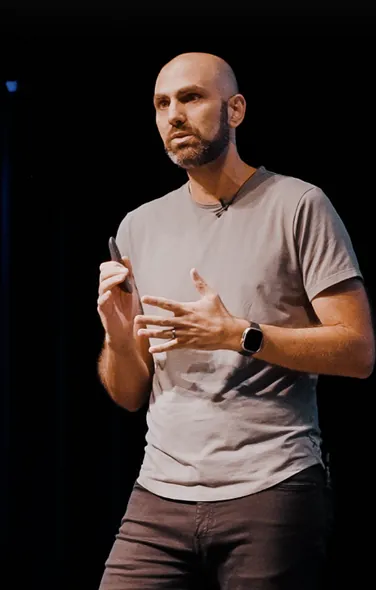
RNR 354 - React Native Screens with Krzysztof Magiera
Mazen and Robin chat with Krzysztof Magiera about React Native Screens, the "most important library you'll never use directly," from its origin as a fix for memory-hogging stacked screens to the exciting V5 rewrite built exclusively for the new architecture.
Show Notes
- RNR 309 - React Native IDE with Krzysztof Magiera
- RNS Website
- RNS GitHub
- Blog: Introducing Fabric to react-native-screens
Connect With Us!
- Krzysztof Magiera: @kzzzf
- Robin Heinze: @robinheinze
- Mazen Chami: @mazenchami
- React Native Radio: @ReactNativeRdio
This episode is brought to you by Infinite Red!
Infinite Red is an expert React Native consultancy located in the USA. With over a decade of React Native experience and deep roots in the React Native community (hosts of Chain React and the React Native Newsletter, core React Native contributors, creators of Ignite and Reactotron, and much, much more), Infinite Red is the best choice for helping you build and deploy your next React Native app.
Todd Werth:
Welcome back to React Native Radio Podcast. It's been a while, but we're back. Episode 354, React Native Screens with Krzysztof Magiera.
Mazen Chami:
All right. Welcome back, React Native Radio listeners. I'm Mazen. She's Robin, and we're React Native Radio. Today we have a cool guest with us. We have Krzysztof Magiera. Krzysztof, welcome to the show.
Robin Heinze:
Hargi. Hargi.
Mazen Chami:
Harji. Magiera. I always say Magira. Magiera. Welcome to the show.
Krzysztof Magiera:
Hello. Thanks for having me.
Mazen Chami:
Yeah. You are coming into an elite group of guests on React Native Radio. This might be your technically fourth time, but we're going to call it third time because that's third time under IR&R. So the first time you were on with us was when we were talking about Radon, which is no longer Radon.
Robin Heinze:
Well, no, it was. It is now Radon. It was React Native IDE when we talked about it. And then React Native said, "No, you can't call it that." Radon is a really cool name though.
Mazen Chami:
I agree. RNR 309. And then within that same year, we talked about Reanimated too, the launch of that. And both of those I think were Robin and I and you. So it's really cool to have you back.
Krzysztof Magiera:
Happy to be back.
Mazen Chami:
Yeah. A lot of our guests and audience already knows you or have heard about you, but for those that haven't, could you please introduce yourself?
Krzysztof Magiera:
Of course. So my name is Krzysztof. I'm a co-founder and director of engineering at Software Mansion. I also happen to be a former member of React Native Core team at Facebook. So I was at Facebook when the project kind of started and then launched as an open source. And then I moved to work at Software Mansion where I created some of the popular React Native packages like Reanimated, Screens, Gesture Handler, and also Radon.
Robin Heinze:
And also Radon, yeah.
Krzysztof Magiera:
And also Radon. Yeah.
Mazen Chami:
Let's not forget Radon.
Robin Heinze:
So yeah, you're a pretty important part of the React Native community. Historically, you've been around for a long time and for some pretty key moments. So we are really excited to be able to talk to you today.
Mazen Chami:
Yeah. Before we get into our topic, let's hear from our sponsor. Infinite Red is a premier React Native consultancy located fully remote in the US. We're a team of 30 senior plus level React Native developers and support staff and have been doing this for over a decade. If you're looking for React Native expertise for your next project, hit us up at infinite.red/radio. Don't forget to mention that you heard about us through the React Native Radio podcast. All right, let's get into it. Today we're going to talk about React Native Screens, right? A lot of us know when you want to install navigation in your library, whether it's React Navigation or Expo Router, you need to install React Native Screens. The best way I like to say about it is React Native Screens is always like the bridesmaid, but never the bride. No one really uses or say they use React Native Screens.
You always say Expo Router or React Navigation. Without getting into the weeds of it all now, as we're going to get into it a little bit later, can you give us the elevator pitch for React Native Screens and what it accomplishes?
Krzysztof Magiera:
Sure. So it definitely depends who are you with in the elevator, but assuming that those are people listening to React Native Radio podcasts, I'd say there's some familiarity with React Native and the elevator pitch would be that Screens gives you a way of rendering primitives for navigation, like the navigation headers, modals, stuff like that. So this is what the role is to expose those type of primitives such that they can be used and for your app to feel more kind of native and more aligned with other apps that people might have on Android or iOS devices.
Mazen Chami:
Usually when we talk about packages and stuff that we've built as developers, we usually tend to have a problem and we build something to kind of fix that problem. Why did you originally build React Native Screens?
Krzysztof Magiera:
So the main motivation was similar to how we came up with other libraries that we built at Software Mansion. So we work on some projects for our clients. And in this particular case, I remember there were two kind of projects I work on at the time and one had a memory related issue where the memory usage just skyrocketed. And after debugging this problem, I ended up figuring out that it was because every single screen that the app had had basically a background image that was very big. And whenever you would open that screen, it would open on the stack and then you have another screen with the same background image on the stack. And of course, the image was much bigger than it should have been because it was blurred. And so you could have actually reduced the quality significantly for that image, but it was loaded on every single screen and those screens were stacked up.
So where you were opening things on top of each other, you would actually get that image loaded and it would persist there. And so whenever there's some issue that I'm kind of debugging or just working with React Native in general and I encounter some problem, so one way of approaching the problem is like how this is solved in native Android and native iOS. So my background is in native development, so that's how I approach this. And on those native platforms, you don't really have that problem because the way the stacks are designed when you open new screens on top of each other is that they kind of communicate with the components that are installed and they can free some resources that they're allocating. So another instance of the problem, we actually tracked on a different app at the time and it was related to a maps component.
So there's a map component where you'd open a setting pane, it would still render the map and keep those resources allocated for the maps. And so the main objective was to address this problem where the screens are no longer visible for the user because they navigated into a stacked items such that they can actually free up some resources. So that's how the screens came to be.
Mazen Chami:
Yeah. So thanks Krzysztof for that. It's always good to know that what we're doing in React Native, even though it's in JavaScript, you're able to kind of point us to the native APIs as a native developer would when it comes to navigation and stack, which is a very important fundamental part of a mobile application. So speaking generally, React Native Screens is basically the native, it's exposing the native APIs so that such libraries like React Navigation and Expo Router can reference those native APIs seamlessly and be able to work as a navigation library,
Krzysztof Magiera:
Correct? Yeah, that's a good way of framing that. Yep.
Mazen Chami:
Now it feels like Screens, we're going to call it Screens, can't just call it React Native Screens every time. Screens almost feels like a default part of the React Native ecosystem now. It's just one of those packages with Gesture Handler, Safe Area Context, you name it, it's always installed and you almost have to install it unless you have a single page app, which I don't think exists anymore these days. Why is it separate from React Navigation or even React Native core specifically?
Krzysztof Magiera:
Yeah, that's a good question. I don't really know the answer for that. Made
Robin Heinze:
By different people, I guess.
Krzysztof Magiera:
Yeah. What's funny is that when we first published the library, on GitHub, you have this like a field for the headline for the project. You can set like a description for the project, which should be relatively short. So in hindsight, it hasn't been a very smart description for the project, but what we put in there with the screens is "the most important library you will never use directly" in parenthesis. So when we're building it, it was more like we're thinking more about the foundational parts rather than the API bits. And I feel like this kind of dividing those two bits still makes a lot of sense and makes things easier for us to iterate on and improve when we have those split between things that just integrate with the native layer, the native operating system, native primitives, and then the API and that just can be different depending on how you want to use it.
So we have Expo Router, which has fundamentally different API compared to React Navigation, for example. So we were kind of just thinking about those type of things and it kind of similarly also goes for Reanimated where not sure if any of you remember, like the first version of Reanimated was like the API was super ugly and it wasn't meant really for ... And the way we considered it wasn't meant for people to use the API directly, but to come up with a different higher level abstractions that would make this much easier to use, but then give you the whole performance of being able to run the animations on the UI thread. So that was kind of the purpose of Reanimated initially. But once we observed that people start using it directly and just get really confused about the API, that's where we figured out, yeah, we really should come up with a better API and people would want to use that directly.
But this wasn't the case for Screens. We already, at the point when we released Screens, React Navigation already existed, people were using it. And since then we have three major releases in React Navigation, I mean, perhaps even more because we are at version eight right now, I think. So I'm not sure which version was in 2018 when we released Screens, but at least three times it just changed really significantly. There was like a big shift in how the API is structured for navigation and Screens could iterate separately and fix a lot of issues that typically are related to ways we use UIKit, interact with iOS or interact with Android APIs. So it kind of allows us to really do a better job I think for our side and then provide those primitives and allow people to build some higher level architectures to have to innovate in that area where they kind of interact more closely with the clients, with people who use the library.
Robin Heinze:
Digging into that a little more, how do you think about API design for library authors with more low level primitives versus API design for more of an end user? What kind of differences are we talking about? How do you think about API design differently depending on who you're building it for?
Krzysztof Magiera:
Yeah. When it comes to native primitives, I think you essentially want every single thing that's possible in native, you want that to be exposed in React Native. And it doesn't necessarily means that the higher level abstraction need to also allow for those. So the idea was that you could have very good abstraction for doing most of the job and it's very nice and easy to work with and intuitive. But then when you want to use some very rare option on a screen, you could still do that because you could just go a level deeper and use that lower level abstraction. So I feel like when doing this type of work, it's important to be as verbose as possible to not to limit yourself to, "Hey, this option doesn't work. It doesn't exist on Android." I mean, most of the things that we have in Screens, they are very platform specific, things that you can customize on iOS, they don't exist on Android and vice versa.
Robin Heinze:
Yeah. Yeah. So you're trying to literally cover the entire surface area of what the native APIs provide that the device is capable of doing, but most end users, that just becomes noise and it becomes very hard to parse out what they actually are trying to do. And so that's where the higher level APIs come from.
Krzysztof Magiera:
Yeah. Yeah. The role for higher level abstraction is to give you a better way of using that, but also to generalize, to give you ways of building the same thing for iOS and Android without thinking that those things are named differently. They may have different defaults on those operating systems, stuff like that.
Robin Heinze:
Right. It sort of condenses everything into one function call, but it's really doing six steps behind the scenes for accounting for platform difference and everything, but the user only has to call one thing. That makes a lot of sense. Could you theoretically use React Native Screens by itself if you really wanted to? Does it have to have a React Navigation or something on top of it?
Krzysztof Magiera:
Oh yeah, it's just not super convenient because you ... So what React Navigation gives you is it maintains the state, for example. So Screens on its own, we don't keep a state of your navigation. So whatever components you render on Stack, those are the components that are on Stack and that's all.
If you want to implement a simple navigator, simple Stack navigation. You could do that and it doesn't take a lot of effort. It's, I don't know, 20 line component, maybe or 30 line. And we have examples and test cases in our repo and that just do this. And specifically for testing purposes for isolating issues, this is very convenient. And yeah, there are many code examples. We have, I think 400 different test cases in the repo that just do stuff directly with Screens API or sometimes the issues only can be really spotted when you use Navigation or when you use Router.
Robin Heinze:
Yeah. React Navigation's giving you the sort of nice to have things like managing your screen options and your themes and your tab names and all this extra stuff. Whereas Screens is like, here's the actual handle into the native primitives to let you mechanically do the things that you need to do.
Krzysztof Magiera:
And the whole routing, of course. So Screens don't know the names of the screens. Whereas in React Navigation, you name your screens, you can reference them by those names, you can push them by their names and you can also nest many routes. It's very human rather than machine.
Mazen Chami:
Kind of want to bring in ... We're talking about API design and developer experience here. How is it from your perspective when you're building a package like Screens for an ecosystem that has more than one platform? I mean, so Screens will not work on web, for example, right? It's iOS Android only. Did you have any special considerations you had to do to consolidate your API or is it just platform specific? You just have to know if you're building your own navigation library on top, you have to know, "Hey, if I want to navigate to said screen, I have to call this on iOS and call that on Android." Yeah,
Krzysztof Magiera:
It's an interesting question because when you just talk about web, the answer is going to be different than if you consider other kind of mobile platforms or TV platforms. And specifically, if there wasn't a native navigation paradigm, the screens wouldn't be really needed. You don't actually have this problem on web. So we wouldn't have created Screens if there was no ... The paradigm of navigation, it's fundamentally different. It doesn't really make sense on web because on web, what happens when you are navigating between different, say you can call it screens as well, you navigate from different pages really.
There you are changes and you basically just go to another page and the whole previous page that was loaded, it's completely gone. So it can be really wiped. So of course, there's some other kind of SPA type of apps and stuff like that, but I'm more referring to how it worked back in the days where you didn't have those type of SPA applications. So you don't have that problem. I was describing earlier where you have elements that are just sticking around in memory or somewhere in a React Tree or in the view hierarchy. You don't have those elements because you navigate away, they're just gone. You go back, it just loads the previous page, it can be cached, so it loads faster, and it remembers where you scrolled to, which point you scroll on a page. So it can get you to the right state, but you don't have this kind of mechanism of the navigation stack remembering everything that just happened below when you navigate in.
And so that's the biggest fundamental difference between the navigation on web and native and only kind of makes Screens and those type of navigation paradigms to be applicable on mobile where you have this concept there.
Mazen Chami:
I think for me specifically in my day-to-day, I'm an app developer rather than a library maintainer. With the transition to the current architecture that we're on with Fabric and all that, and being that Screens is such a fundamental piece of all this, how was that transition to new architecture? Because I believe you all were the first package out there that made the transition 100%, if I'm not mistaken.
Krzysztof Magiera:
That's how I remember it as well. So I mean, the migration was very painful and I think mainly because we were the first. So we have this blog post from, I don't remember, like three years ago, where we published the first version that was compatible with the new architecture. At that point, the new architecture evolved a lot since then. So a lot of moving pieces that we had to keep up with. So that made the whole process painful because we're kind of covering those two architectures at every moment where we're a test rabbit or a test rat for things that are changing in the way—
Robin Heinze:
And you had to do that for a long time.
Krzysztof Magiera:
Oh, yes. Yes.
Robin Heinze:
Yeah. I imagine you were working pretty close with the Meta, the core team.
Krzysztof Magiera:
Yeah. From some point when there was a big shift towards open source at Meta, we started collaborating more closely. So for the past two years, I can't really complain. But before that, there was a lot of things like moving pieces and new architecture wasn't really considered stable, but we kind of knew at that point that this is the direction for React Native to go to. And we kind of wanted to set an example as a library where you can already use it on the new architecture and serve as an example for other applications to support the new architecture. So that was the goal of that migration to set a precedent that, hey, we are migrating. And three years after that, we are at the point where the new architecture is considered stable. But along the way, there were, of course, every single release and those releases, React Native releases were happening more frequently and more frequently, now they're like every two months.
So every single release would bring new breaking changes in the new architecture API, the way the code generation works. And Screens in particular is a library that doesn't just ship a native module, but it also ships native views, which is another layer of integration. So it's a little bit more complicated than if you just had, I don't know, like a file storage or SQL type of library where you have a method. So this kind of gives you a cleaner interface and doesn't need to interact with native views, shadow views, stuff like this. And Screens were using all of that. So we had custom shadow nodes and all of that stuff. So that made it particularly painful to maintain across all those updates that were happening. But thanks to Screens, we also helped shape the way those interfaces were designed and I hoped for the better of everyone else integrating later on.
Robin Heinze:
I'm sure. I'm sure. They probably didn't have too many folks adopting at that deep of a level in those early days. And I imagined the feedback and bug reports and questions and stuff that you guys were having was probably pretty instrumental in shaping how it went. How did you manage just the bridging the old and the new for so long? Did you have people dedicated specifically to the keeping up with the old architecture and then a team dedicated to the new, or was it just chaos? How did you manage that for so long?
Krzysztof Magiera:
So the Screens team has never been a ton of people. So we currently have three people who are actively working on Screens right now, but historically we had fewer. So the migration was actually mostly handled by Kuba, who is actually now at Expo and he works on Expo Router. So that's another fun fact about the Screens, but it was a while ago. So he left and moved to Finland for a while and now he's at Expo. And yeah, so the goal was for us to be able to ... I mean, we basically wanted to share the code as much as possible, code between those two architectures.
And from one point of view, it was good because we kind of maintained this in parallel. So we could, by fixing things in one architecture, we also were fixing it in another, but also it kind of made the whole code base a little bit more complicated, which is something that kind of made it a little bit harder to keep up with all the updates over the years and just complicated the overall architecture of the library. So we're actually now in the process of rewriting the whole stack. So there's like a new version of Screens, version five, that is going to be coming out in, I'd say around a month, so perhaps around a month after this is published, where we're actually completely rewriting Screens to only work with new architecture, because this allows us to clean up all that stuff that was the layer where we were kind of interacting with those two different architectures.
And in case of Screens, it was particularly tricky because we also have all the things that you have in the integration layer, we have them in Screens. So we have custom shadow nodes, we have custom properties for the views and all those things.
Mazen Chami:
Yeah. So you all are following React Native releases very tightly because React Native version 0.82 basically marked the end of the legacy architecture.
Robin Heinze:
I think they took it out completely. They're like, if you're still on it, you can't upgrade to 0.82.
Mazen Chami:
Yeah. 0.82, there's only one architecture in 0.82 and it's the current one. V1 Hermes is around the corner, you all are evolving. And even just kind of looking at your change log, we're currently on version 4.19, I believe right now. And you're all ... 4.20. There you go. Well, my notes had 4.19. You would know better than me. So even at 4.20, you all are adding new stuff like work on the bottom tabs, form sheet, synchronous updates that are happening, and also evolving to rewrite it again in V5. So there's a lot that's happening. What's driving these constant new features and these new updates all the time? Because you're doing essentially two new rewrites quote unquote at the same time, version right around 4.16, you added more features while I assume V5 started prior to that too.
Krzysztof Magiera:
Yeah. The main driving force behind us bumping up the number of people who are involved in the project was the iOS 26 kind of adoption because we integrate with native navigation primitives and those were completely revamped in iOS 26. Of course, a lot of issues for early adopters of iOS 26, you might have remembered that. So that was a really painful also process about just getting things to work properly on a new release. But this is kind of like a main driving force behind us, our commitment to evolving Screens. The things we integrate with are one of the most frequently changed things across Android or iOS versions. So there are updates every year happening on navigation stacks and how they look like some new visual additions or some behavioral changes, gesture changes, stuff like that. So all of that, we need to adapt to those things. And this is why we need to follow those updates.
And from React Native perspective though, as I mentioned earlier, the architecture where we were supporting two, the old and the new architecture, or the legacy and the new architecture—
Robin Heinze:
Legacy and the new architecture.
Krzysztof Magiera:
Yeah. It was nice in terms of, yeah, we could share a lot of code, but then it was kind of limiting in a sense that we couldn't use things that are available in new architecture to the full extent. And a number of issues that we have encountered over the years can really be addressed and fixed if we just focus on the new architecture. So now we can use things like synchronous events, synchronous layouting. So this is something that is really important in Screens because when you integrate with native primitives, you actually need to override the way it is laid out. So when you have a stack, it can no longer be laid out by Yoga on its own because the dimension of the screen that you have left after the header is rendered or if you have a modal. So this is dictated by the native layer. So you kind of need to integrate with the layouting in this way.
And so handling this all in an asynchronous way is one of the reasons we cannot have nice lists in React Native. So in Screens, this is pretty similar issue there as in lists, but it's a little bit simpler because you don't scroll through thousands of screens in five seconds, right? So it's mostly you just have one screen that shows up and then another one, and then you maybe go back a few steps. So now we are kind of like in the cleanup phase where we want to clean the code base from that old kind of approach where we supported both architectures while also adapting things that we can use from the new architecture that would allow us to address some of the longest-standing issues in Screens.
Mazen Chami:
That's awesome.
Robin Heinze:
So yeah, it really feels like Screens doesn't sort of have a feature development cycle of its own particularly. It's all like, are there new native primitives? Are there things changing in iOS and Android that we need to keep up with? You're not really innovating in your own right because the reason for its existence is to expose everything that the native APIs provide.
Krzysztof Magiera:
Yeah. I mean, we're also expanding on that front. So the very first version of Screens, it was basically like a screen container and a screen. You didn't have a stack. So Stack was the first addition in terms of new functionality. Last year we added the bottom tabs component, like native bottom tabs to Screens. And end of last year, we also shipped the first version that included the SplitView. And the SplitView is actually the first component that we've written in this new architecture, first Screens new architecture, the one that will be in V5. So this is already compatible with the new design. So SplitView is like a new architecture only and followed these patterns and our learnings from building other bits of the Screens library.
Robin Heinze:
Well, I'm really excited to install V5 and see what you've all been working on.
Mazen Chami:
Yeah. Yeah. And SplitView sounds like a cool concept that hopefully we'll get to integrate within React Native soon. All right. Well, Krzysztof, I really want to thank you for coming on to the episode and sharing your knowledge about Screens and giving us all these insights within it.
Robin Heinze:
Hopefully our audience learned something they didn't know about a library that they probably have installed in their app.
Mazen Chami:
Not probably. I'd like to say most likely.
Robin Heinze:
Every app I've ever started has React Native Screens in it, so I'm glad to know a little more about it.
Mazen Chami:
Awesome. Well, before we sign off, Robin, do you have a mom joke?
Robin Heinze:
I have a good one. This is a variant of one that Gant posted. I'm making it my own a little bit. I just got a new shovel. It's really cool. It's almost groundbreaking.
Mazen Chami:
Awesome. Well, thank you all. See you all next time.
Robin Heinze:
All right, bye.
Jed Bartausky:
As always, thanks to our editor, Todd Werth, our assistant editors, Jed Bartausky and Tyler Williams, our marketing and episode release coordinator, Justin Huskey, and our guest coordinator, Mazen Chami. Our producers and hosts are Jamon Holmgren, Robin Heinze, and Mazen Chami. Thanks to our sponsor, Infinite Red. Check us out at infinite.red/radio. A special thanks to all of you listening today. Make sure to subscribe to React Native Radio on all the major podcasting platforms.