RNR 374 - Building "Dreaming: Language Learning" with React Native
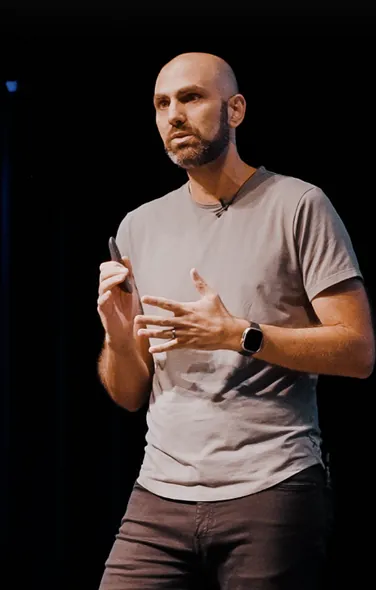
Mazen talks with Wojciech Ogrodowczyk of Brains & Beards about building "Dreaming: Language Learning" with React Native. They share lessons on offline video, mobile performance, native modules, and using AI to investigate bugs and improve code reviews.
Show Notes
Connect With Us!
- Wojciech Ogrodowczyk: @sharnik
- Mazen Chami: @mazenchami
- React Native Radio: @ReactNativeRdio
This episode is brought to you by Infinite Red!
Infinite Red is a premier mobile app consultancy, especially focused on Expo and React Native, located fully remote in the US. We’re a team of 30 with highly experienced mobile app developers and have been doing this for over a decade. We are also one of the first development teams to adopt agentic coding in a way that keeps high quality standards and aren’t afraid to do things the old school way if we need to. If you’re looking for mobile app or React Native or Expo expertise for your next project, hit us up at infinite.red/radio.
Jed Bartausky:
Welcome back to another episode of the React Native Radio Podcast. Episode 374, Real Life React Native, Dreaming Language Learning with Wojciech Ogrodowczyk.
Mazen Chami:
Hello everyone. I'm Mazen Chami, and as I've said before, we're reviving our series on React Native Radio called Real Life React Native. This is the series where we interview developers who work on real life React Native apps. They're quick, rapid fire, and fun. Let's get started. I'm sitting down with Wojciech Ogrodowczyk, who's a consultant from Brains & Beards. Welcome to the show, Wojciech.
Wojciech Ogrodowczyk:
Hey, Mazen. I'm really happy to be here. I've been a longtime listener, first time caller. It's a great pleasure to be here with you as a guest.
Mazen Chami:
Yeah. Thank you for reaching out on Slack, our Infinite Red Slack, community.infinite.red, and saying you wanted to come on the show, and here we are. I love it. We'll be talking about your app, Dreaming Language Learning. So let's get into it. What's the elevator pitch for your app?
Wojciech Ogrodowczyk:
So Dreaming is an app that allows you to learn languages through comprehensible input. This is the way that humans naturally learn languages. There are no vocabulary lists, no grammar drills to make, and that's it.
Mazen Chami:
I love that.
Wojciech Ogrodowczyk:
There's nothing more to the app than this.
Mazen Chami:
Yeah, that's straightforward. I remember when I was learning French in high school, it was a lot of the vocabulary and French has so many conjugations and all that. It was a lot. So I love that. Taking a different approach on things. When did you start using React Native and why?
Wojciech Ogrodowczyk:
It's been a long journey. I've been programming for almost 20 years now, and I started with Ruby and then I got bored and I switched to mobile development. And with a friend of mine, we started a consultancy that focused on building iOS apps. And quickly, the market has made us realize that nobody wants to build just an iOS app, especially in Europe. In the US, you might still get away with running just iOS, but in Europe you have to run Android as well. And I think about nine months in, it was a time, this was September 2015 when Facebook open sourced the support for Android. We started looking into it straight away. And July 2016, so nice and even, 10 years ago, we did the first project in React Native. And since then, I think more than 90% of my work is just React Native.
Mazen Chami:
Awesome. And for the app, Dreaming Language Learning, was it built in React Native greenfield?
Wojciech Ogrodowczyk:
Yeah, it was. So some backstory around Dreaming is that it's a service that started, I'm not sure, 2018, 2016, something like this. So I think we need to touch a bit on what comprehensible input is and how does it refer to the app because the whole approach of Dreaming is focused on this method. So comprehensible input means you're learning languages by getting input in this language. So like reading books, listening to people, watching videos, and the input has to be comprehensible, so adjusted to your language knowledge. So you cannot just, when you're starting out, go to the library and borrow some books because you will not get anything out of it. There's no point in doing this. But instead, if you start with the videos for kids or stuff like this, you can slowly build your vocabulary, intuitive understanding of grammar and build on that.
So Dreaming's approach is to use videos that are tailored for different levels to help you teach the language. The videos have to be engaging enough that you keep watching them and they have to be educational enough that you actually learn something. So this started as Pablo, the founder of Dreaming, just publishing videos on YouTube and the community grew. Then he opened up a Patreon, started gathering money. Then he made the whole web platform because he's also a JavaScript developer, so he built a first web platform by himself. And then at some point people started asking about the mobile app and they had an adventure with progressive web app and this adventure has ended recently with when they published a React Native mobile app. This was aimed from the beginning to be a React Native application, but completely separate from the code that is powering the web platform.
So we are using the same backend API calls, but we are not sharing a code base. It's a separate project.
Mazen Chami:
Awesome. Awesome. And for our listeners, what languages can they learn today using the app?
Wojciech Ogrodowczyk:
Spanish and French. This started with Spanish. They added French last year and well, we'll see what the future brings. For now, it's Spanish and French.
Mazen Chami:
Awesome. Yeah. Hopefully you can expand into other markets and languages soon. So speaking on the app itself, what is the architecture stack and how did you come about to choose it?
Wojciech Ogrodowczyk:
So I don't know if it should be a disclaimer, but there's something you need to know. You might not get it, but from the introduction, because I've been programming for almost 20 years, I'm an old man who has a conservative approach. And the moment I was involved with the app, a lot of things were already in place. So I'm leading the team that's building it right now and has been working on it for the last year and a half. But before us, somebody tried to build the app. At some point they gave up and here's how we... And we inherited a code base where a lot of things we did not touch because we are happy with it, but not all decisions are ours. We only touch the things that absolutely needs to be changed because I don't like to change working things. I think we're going to dig into it a bit in the episode because I think it's very important in the context of if somebody's interested how React Native apps behave in production.
So because a lot of materials are focused on how to get something started and there's a difference between getting started and keeping things running. So the architecture stack is of course Expo and is something we changed and we changed it for two big reasons. One is the possibility to auto generate the native folders because we could already see that maintaining iOS and Android folders was a pain. And in this project you cannot really escape from it. So we have to deal with native dependencies and we have to manage them comfortably. And the second was EAS because when we got the project, there was no deployment pipeline and it takes like six hours to set it up with Expo and EAS and it takes six days to set it up with GitHub Actions and Fastlane. We are using TanStack Query for networking and data caching because the app needs to be able to work completely offline and basically TanStack Query does 95, 99% of the job for us between the caching of the data and optimistic updates and persistence, everything is taken care of.
So that's great. Navigation is powered by React Navigation, state management is Redux, which I know it's controversial nowadays, but
I'm a big fan honestly. Well, it's something that was there already. There are people on the team who complain about it, but I think it works great because of one thing that sometimes is missed is that Redux allows you to easily define async workflows. So it's not only about the state, but it's something that you could... I used to use Redux-Saga for this. I don't anymore. Now in the Redux Toolkit it's called listeners, but it's an interesting API to be able to define flows that are purely data-based. They have nothing to do with your components and they have nothing and they take a time to finish. It's a flow that you have to go through. And for this, it's a feature that not many alternatives have. So that's why we keep it actually. We have TypeScript, of course. We have a bunch of helpers for functional programming using FxJS.
We use a bunch of this.
What's interesting, we also have some of the business logic inside the components is using streams. It's more event based. At the moment we use Wonka for that, the streams library. If somebody used RxJS, it's the same concept. It's just a bit smaller and faster and RxJS is famously not friendly, so we stayed clear of that. And we use XState for state machines. I think that's something we can also dig into a bit later because it's actually a nice solution to some of common problems and XState works great for us. And finally, the most important dependency of all, for the video player, we use React Native Video that helps us a lot. And other than that is there's Sentry for crash reporting, which is amazing. I think it's one of the longer dependencies. I never switched. I know I'm doing React Native for 10 years and probably using Sentry before it was named Sentry.
I think it was called Raven.js in the beginning or something like this. And we use Reactotron for debugging.
Mazen Chami:
Amazing. Amazing. Yeah, that's a very nice stack that you have there. I think being that it's offline only is important and we don't hear a lot of that these days. If you turn off data or put your phone in airplane mode, most apps essentially just shut down, not usable. So the ability to have offline is important for you guys because for example, I could be traveling on a flight and it'd be nice to be able to watch the videos and have all that available for me on the flight.
Wojciech Ogrodowczyk:
You would be surprised how many user reports start with, when I was taking a flight last time.
Mazen Chami:
There you go. Okay. There you go. I guess I wasn't the only one thinking. Yeah, exactly. Yeah. And then XState, I've heard a lot of good things about XState. It's on my list to try for sure. So one, given that we're in 2026 and this question comes around a lot, does your app have any AI powered features? And if so, how is it building them in React Native?
Wojciech Ogrodowczyk:
We don't have any locally running AI, nothing that is running inside React Native, nothing local on the app. It's because the problem we're solving is deceptively simple. We get a list of videos that are available and we let the user play them and that's it. The same way Spotify does it with music, but somehow you have 200 developers working there. But no, at the moment we don't do anything with AI locally.
Mazen Chami:
Okay, fair enough. Can you describe some unique challenges you encountered while developing your app using React Native?
Wojciech Ogrodowczyk:
So I think there are two buckets of problems that we have. I mean, I call them problems, but actually they are very nice challenges to face. This is what makes this project very interesting for me. And one bucket is connecting to playing video and working with a video player library. Because on the surface you might think, okay, playing video is such a common feature that you build a component, you pick a library to use, you import the player, you give it a URI and then it plays. And this was my expectation before as well. And right now I know that it does not work like this because playing video is one thing. The second thing is you would like to have your controls and most of the apps have their custom controls. For example, you would like, I know the subtitles to turn them on in a separate button, especially in a language learning app, it should be easily accessible icon.
And you might not like the native icons. And if you don't like the native icons, you have to rebuild them yourself. And if you choose to rebuild the icons, then you have to present them in an overlay on top of the screen, which means you cannot use native full screen functionality from the platform player, which means you're rebuilding full screen yourself. You're rotating the handling device rotations, the Android, those so-called physical buttons, they're not physical anymore, them sliding in and sliding out, the ratio of the video, adjusting to it. A lot of details like this, you have to handle yourself. Then we learned also that I don't think there's enough apps that go so deep into video playing as we do in the React Native ecosystem. And we kept discovering weird edge cases around the libraries that we're using. So for example, it turned out that you know those Apple wired headphones that they used to.
I'm not sure if they still sell them, but still a couple-
Mazen Chami:
They do.
Mazen Chami:
I bought one a couple weeks ago.
Wojciech Ogrodowczyk:
So they are unpopular enough that they have those three buttons on the wire and only two of them worked with the video library that we're using. And the third one we would have to figure out ourselves why it doesn't work. The volume was working, the play/pause wasn't. And turns out that Apple, because they control the hardware and the software, they know that this button sends a different code signal than you would normally send us play or pause on a headphone. So other headphones work, but those, they don't. You have to treat them specially. So you have to dig into Objective-C of the library that you're using and other feature that actually handles those headphones. So I think we had around 10 pull requests to React Native Video when we were getting started and trying to nail down the functionality that we need to be able to call it, okay, the video player works for us and it works for our users.
So the challenge there means you have to be comfortable working on the JavaScript side of things, but also Objective-C and Kotlin because when we started the current, at the time the React Native Video was using still Objective-C. I would use Swift. So now we have to be comfortable with Swift. And this ecosystem is complicated also. Player is one thing. If you dig into it, you will realize that notification that something is playing. When you leave the app to be able to still control the volume, that's a completely different thing than the player itself. Those are notifications you have to manage and there's less work involved on the iOS side, but more work involved on the Android side. Of course, those platforms have different behavior and you have to dig into all of this. And one last thing around the player was behavior when your app goes into the background, because normally when you're working on the app, the app goes into the background, you don't care.
You're not doing anything. Maybe refresh something, run a background job. But because this method of learning the language is based on keeping the input of the language consistent and high on every day. So we track this time that they spend watching the videos for them. And if somebody goes for a run, they will lock the screen, start running. They will expect the audio to be playing in the headphones. And when they finish run, they expect to come back to the app and see all this time saved. And how do you do it when your app is not running, right? On iOS, actually when the app is in the background, the app is running, you can do anything you want in the JavaScript. The problem comes in Android where Android decides whether it can freeze your app. So you have to do something that it decides that it cannot.
And we had some tricks of what we're doing in the app so the Android knows that we are actually still working. Then there was a Samsung update, which was more aggressive on this. And then you go into the weird domains of displaying one invisible pixel on the main screen so that something is being displayed. There's bizarre workarounds. So yeah, the video player's one big thing. The second is downloads, downloading big video files for offline playback. It's surprising how much you need to learn about the way files are written to disk when you read a byte from the network and you write it to a file that's not actually in the file because you write it to a buffer, it needs to be flushed before it hits the disk. And since my university days, I did not expect that I would have to be flushing manually files to disk on a professional project.
But yeah, here we are. This stuff is complicated. The video files can be up to two gigabytes and there are plenty of bugs that come with this size.
Mazen Chami:
Yeah, that's definitely some unique challenges you're running into there. So that question was about the unique challenges. I think the best next question here is, can you share some ways in which you've optimized performance for your app? And it sounds like this performance is something that should be high on your list and you probably ran into some issues along the way.
Wojciech Ogrodowczyk:
Yeah, definitely. Definitely. So I think with performance, there are two ways of looking at it because sometimes you have something that is slow because it needs to be slow. You're doing a lot of things and then you have to figure out how do I not do it or do it less? And the second thing is something is slow because you made it slow. And this typical case of you're re-rendering a component when you don't have to re-render it, right? Visually nothing changes, but still you decide to trigger something in a useEffect, whatever. And I think it would be useful for the audience to look at some examples, like a couple of stories from the trenches that might be easier to comprehend and maybe have some inspiration what to do in Europe. One thing was at some point we decided to build a guided course for those videos that because people were complaining, "Hey, I'm opening this up.
I have all those videos I have to watch. What do I actually watch? Where do I start?" And so we created a course that lets them to start based on the... We qualify them on onboarding, figure out their language level, give them a good place to get started. And the designer came back with a design that we foolishly decided to accept and say, "Yeah, sure. No problem. We're going to do it." And the design involved a list where every video, when you tap it, a player appears and you can play it without going into any details, no modals popping up, no separate screens, nothing like this. Just tap it and it plays. So naively there's only the one way you can do it. You just put a player into every list element and you can imagine how the performance of re-rendering such a list would look like, right?
Well, the other thing is you only load the player after the user taps, but the player is big, the URLs or URIs that you're using to load it, you have to still let the player load the content. So it takes a long time and it's not slow per se, but it's perceivably slow for the user. User wants to tap and see the video straight away. So we ended up with a little hack that you actually have one player that you keep reloading the videos and the player is invisible when it's not playing. But you have to kind of keep it in sync with scrolling, like you're moving this invisible window on the screen. You can imagine the amount of issues we got with that with missing the alignment by five pixels. No, they are not aligned. So this was a solution that solved the performance, but this was actually something that we're going to drop probably in the next version of the player because this is something that shows a different problem.
Every time you're fixing performance, you're making a change to make your app more complex. One of the previous guests of the podcast, Jay Meistrich, the Legend List, Legend State creator, had just a talk at App.js two weeks ago. And he explains how a lot of people are following the React way and React guides of building applications when you have local state and context and everything just trickles down and re-renders magically and it causes performance issues. And he goes to the other side of the spectrum when you make only granular changes where they have to be made. And I believe every time we develop, we have to pick a spot on the spectrum, how granular we want to go because the more granular you go, the more manually you're defining stuff. And if something can be slow or it's very easy to re-render, there's no harm re-rendering everything.
If you have the frames to spend, no worries, but you're sacrificing performance for maintainability of the component. So in our case, on the spectrum, we were somewhere in the middle and it is not really working that well. And the lesson learned here for us is probably we should have taken some kind of performance bump, maybe change the design, approach the problem differently to accept to put maintainability above performance and just clear the players after and recreate them between videos because a lot of bugs we get is from leftover state when we're trying to manually manage things and reuse things when they are complicated, especially things coming from third party libraries. So the player would, I know, load the wrong video or start the playback at the wrong value, not at first second, but 50 seconds in. So what I want to say, performance, like a trade off between the complexity you want to introduce.
And there was another story about something stupid we did that I thought was interesting that was completely a bug on our side that I mentioned we are using Redux and we're persisting the state on disk to be fully offline. So the way you would usually do it with Redux is every time the state changes, you just make a snapshot of it, dump it onto the drive. And the next, even if the app is killed, once it goes back up, it would get it from the drive, right? So you're serializing a lot of JSON. And in our case, we were serializing video data, which has a bunch of dates in it, like the date, when was the last time you watched it and stuff like this. And JSON does not know anything about the dates. It only knows it's a string, right? So we thought, look how comfortable it would be to use SuperJSON instead that will work exactly like JSON, but it will translate between the dates.
When we get it back, we would get an actual date object, how nice it would be for our developers, right? We don't have to do it manually. Turns out that if you serialize the data every 500 milliseconds and on a slow Android phone, the serialization takes 700 milliseconds, then you're running a little bit behind. So once you open the app, the first couple of seconds were working fine and then it went completely down the hill because the only thing the phone was doing was serializing data to dump it on the disk. And on iOS, it was running completely fine because the phone was powerful enough to handle it, to be able to handle the serialization. And this is an example of something that we just decided to make it slow. We missed it in tests in the beginning. We very quickly caught it in the release.
But yeah, that's something that we had to roll back and just decide, okay, we're going to live without this feature. We're going to do it manually as needed and everything was completely fine. And the SuperJSON serialization was just like, I don't know, 50 times slower than the regular one.
Mazen Chami:
That's very insightful. Yeah. Thank you for all that information. I think you seem to be the expert here when it comes to video related stuff on React Native. So I think any listeners, please reach out to Wojciech about that for sure.
Wojciech Ogrodowczyk:
Yeah, I'm happy to share. All of those are hard learned lessons.
Mazen Chami:
Exactly. Exactly. Yeah. How do you all handle testing in your React Native application?
Wojciech Ogrodowczyk:
So there are three levels of testing. You have the unit test, you have the component test, you have end-to-end, simplifying. I come from Ruby background, and it's been always at the forefront of testing. It was a community that embraced it very early on, and I love unit testing. It gives me a lot of confidence, and especially now with when it's so easy to just ask AI to write the basic test for you, and then you just look at the test cases and you massage them that they are meaningful. It's hard not to do it. But I have problem with the other layers. The component testing are complicated to set up, and if you wrote your code, if you structured it nicely, the components are purely visual, so there's not much you can actually test in terms of behavior. Like you write a code that if you click the button, this function will run, and then you write the test that if you click this button, this function will run.
It makes no sense. You're kind of testing the implementation. It's hard for me to find a case, maybe in forms or validation issues, something like this, it does make sense to write a component test, but for most of my work, I don't see the point. And there's the end-to-end test and the opinions are divided. I stand on the position that they're expensive to maintain. They probably make sense for teams and projects that are big enough. They can afford to put aside a couple of engineers to make sure those tests are running fine and they're useful because if you have a team of, I don't know, three developers, it means that one of them is going to spend half of his time fixing flaky tests or stuff like this. It's not fun. And on a small team, it's not that useful. It's probably the border when it start getting useful is if you have a couple of teams on the same code base and then you're kind of sharing the knowledge with it.
It's hard. It's hard to make them valuable. So we're a small team. We don't run end-to-end tests. Also, a lot of the frameworks, they don't work with native code. So for example, with Detox, if you have stuff in a web view, it does not render a web view. I haven't tried, but I doubt it would render a video player. And if this is most that we do, then there's not much of a point for us.
Mazen Chami:
Fair enough. Yeah, that makes sense. So these days we all use packages that have native modules integrated in them. Have you had to build any custom native implementation for your app?
Wojciech Ogrodowczyk:
Yeah, we have a couple of levels. One would be the simplest thing would be Expo plug... That let us tweak the native configuration of the project. So not everything is exposed as configurable in JSON, and sometimes you have to specify it manually. We have some simple Expo modules where we would like, for example, to use some native APIs, especially on Android, that is not popular enough to have, or not big enough, not important enough to have its own React Native JavaScript package. So we just have a 10 line module that lets us just do this function call. And that's something that's pretty simple. And for the bigger things, we just fork the dependencies. We're maintaining two forks of the biggest dependencies that we have. So if you remember from the challenge section, so you can guess one of them is React Native Video for playing video, and the second is React Native Background Downloader for downloading big files.
We have our own custom forks where we have some changes that fit our case, but they are very specific and difficult to abstract to make it valuable as a pull request to other people. A good example would be when you're playing a video in native controls, you can set the playback speed of the video. And you have some arbitrary values like 0.5, 1, 1.25, 1.5. And for us as a language learning app, it makes sense to have also 0.75, but it doesn't make sense for anybody else. We're not going to make a pull request to change it. But this is stuff that ends up in our custom fork. Or sometimes we remove features that we noticed can result in crashes for our users, but those are features we don't really use. So we just delete the code altogether and don't worry about it. The bigger stuff we try to have in separate packages and usually either a separate module or a fork.
Mazen Chami:
Awesome. Helpful. How are you guys using AI in your day-to-day workflow, if at all?
Wojciech Ogrodowczyk:
We do. I'm going to speak for myself because we actually, we all work remotely. So as for my colleagues, when I look at the pull request, I don't care whether they wrote it by hand or they wrote it with AI. What matters to me is they are telling me that this code is good and they want to merge it and it's the only thing that matters. Is it good enough to pass the threshold of acceptable change? And we don't have places where we choose, okay, this component nobody cares about. We allow any AI-generated code in there. We don't check it because it's big, it's hard to read. We don't have places like this. We treat everything like a handcrafted human stamped change. But me personally, AI helps me a lot because of my age. I don't know how old listeners are, but once you break 40, you realize you're somehow not as sharp as when you were 25.
As you get older, there are different ways you can contribute to the project. When you're young, you have a lot of energy and you have a lot of possibilities to throw an all nighter and bang out code till 9:00 AM, then have a strong coffee and be at 10:00 AM in the office. When you're older, you cannot do it. Even if you physically could, your family life does not let you, but you bring to the table the experience from the previous project that you did. And it's very easy to abstract, "Hey, we tried a similar approach seven years ago and I know where it's going." Somebody proposes an idea in the meeting and you can already in your mind see fast forward three years from now, how it's going to crash and burn. And it's just because you did this mistake in the past. And so I find that I contribute more to the team on the side of planning, of organization, of review, because I just physically cannot run the code as fast as I could.
And here comes the AI because I know what I need to write and it writes it much faster than I could when I was younger. And it allows me to get back those skills or use better the experience that I have when I can see the solution and it just writes it for me. I look at it and I know if it's the correct one, we can tweak it, we can work with it. And also a lot of times you see a pull request, you review it and you see the approach works and it's kind of okay, but you have an idea that will make it better, but you have to spend half a day typing it in. Would you spend half a day to propose an alternative to the author of the PR? I wouldn't. Now I can because it's not a half a day anymore.
It's five minutes to think about it, come up with the correct prompt, see if it works. It's, I don't know, half an hour job and suddenly you can say, "Hey, I forked this branch and here's how I think we could improve it. Let me know if it works." And they have in their mind, they worked on this issue for three days. They know all the edge cases, how it may fail. They test it. They say, "Okay, this is better, this is worse." We throw it into the trash. It's half an hour of work. It doesn't really matter. And that's something that I can do now that I couldn't do a year ago.
Mazen Chami:
Makes sense. Is there anything beyond code generation, things like code review testing, debugging, or even writing documentation that you leverage AI for?
Wojciech Ogrodowczyk:
Reading dependencies. So for example, once your app is out there in front of the users and our community, the community of the users of Dreaming is very active. They have a Discord server where we are and they know we are the devs. So sometimes they write us directly, "Hey, I have this bug." They're very active on Reddit. They are very active reaching out to customer support and so on. And sometimes when you have an error happening to one person out of a thousand, then depending on the size of your app, you might want to fix it or you might not want to fix it. And sometimes it's hard to prioritize, is it really one thing for one single user or are they representing 50 other users who just were quiet about it? Sometimes those reports hardly make any sense. You look at it and you say, "This is impossible.
I look at the code, this could never happen." And then you ask AI, "Hey, I'm using this third party library that I'm doing two plus two, and could you check if it always will return four?" And then the AI will go read the code and tell you, "Actually, it does not perform the calculations on the device. It sends it to the server in Armenia, which performs the calculations for you and it retries only five times. So when you're offline, two plus two might equal to zero because the server in Armenia does not respond." And this is something that I would have never found out from the... Of course, it's a bizarre example, but sometimes there are things that I take for granted that something always returns a result and the AI will check, "Hey, under those conditions, this is going to be undefined." And then try to reproduce it and surprisingly often I'm able to reproduce the error that I thought was completely impossible.
So that's something that I was not able to do before because all the dependencies that you have in a JavaScript application, who's going to read all that? But now you have somebody on the team who can.
Mazen Chami:
Awesome. What advice would you give to companies considering React Native?
Wojciech Ogrodowczyk:
Go for it. Right now, to be totally fair, I think right now there are no bad choices in mobile development. Swift is creeping towards multi-platform. Kotlin multi-platform has its fans. I think React Native is still the king on this block, but the competition is catching up and there are no really bad choices. So the only bad choice is to pick a technology that your team hates. But if you are making a purely technology-based choice, it's hard for me to see where React Native would fail. We've gone a really long way in the last 10 years, and it's great.
Mazen Chami:
Absolutely. On the other side of that, what advice would you give to new React Native developers?
Wojciech Ogrodowczyk:
This one's difficult. I think this one's difficult because I think in Infinite Red, you have senior and staff engineers only. Similarly, in our company, we don't hire anybody who hasn't been programming for, I don't know, five, seven years. We have people who have been doing more than 20. So I'm a bit disconnected from junior developers, but I believe and I hope that even in the age of AI, that programming is still going to be a craft that matters. We're not going to become a prompt engineer. And I think the project I'm working on that we're talking about here, the more complicated the things get, the less useful AI becomes and the more important the developer becomes because you can very easily sketch out and very fast sketch out basic things. But when you get to the complicated realm, when you have to actually think, then it shows the value of the developer in the loop.
And I think learning to program in this age is going to be difficult because you have to avoid the temptation of prompting your way through the project and try to figure out what could you build that's difficult and use the AI to help you learn along the way all the pieces that you need to put in place, but focus on the end result because it's not about you learning React Native, but it's more about learning how to build an app that tracks your running progress, for example.
Mazen Chami:
Absolutely. Absolutely. Yes or no question, would you still choose React Native if you could go back with the knowledge you have today?
Wojciech Ogrodowczyk:
Absolutely, yes. It's done wonders for... It was a wonderful bet that I made early on. I think it paid off greatly. I had my doubts after I know two or three years in when the thing, it was not smooth sailing and React Native upgrades were painful, but it's beautiful what we have right now, the tools that we have available and React Native included and the whole ecosystem.
Mazen Chami:
Amazing. Awesome. Well, thank you, Wojciech, for joining us today on Real Life React Native series. I appreciate it.
Wojciech Ogrodowczyk:
It was a pleasure. Thank you for having me.
Mazen Chami:
If you'd like to be on this new series and talk about your experience with React Native in the real world, email us at rnradio@infinite.red or reach out in the community Slack channel, just like Wojciech did, and introduce yourself and your app. See you all next time.
Jed Bartausky:
As always, thanks to our editors, Tyler Williams and Jed Bartausky, our marketing and episode release coordinator, Justin Huskey, and our guest coordinator, Mazen Chami. Our producers and hosts are Jamon Holmgren, Robin Heinze, and Mazen Chami. Thanks to our sponsor, Infinite Red. Check us out at infinite.red/radio. A special thanks to all of you listening today. Make sure to subscribe to React Native Radio on all the major podcasting platforms.